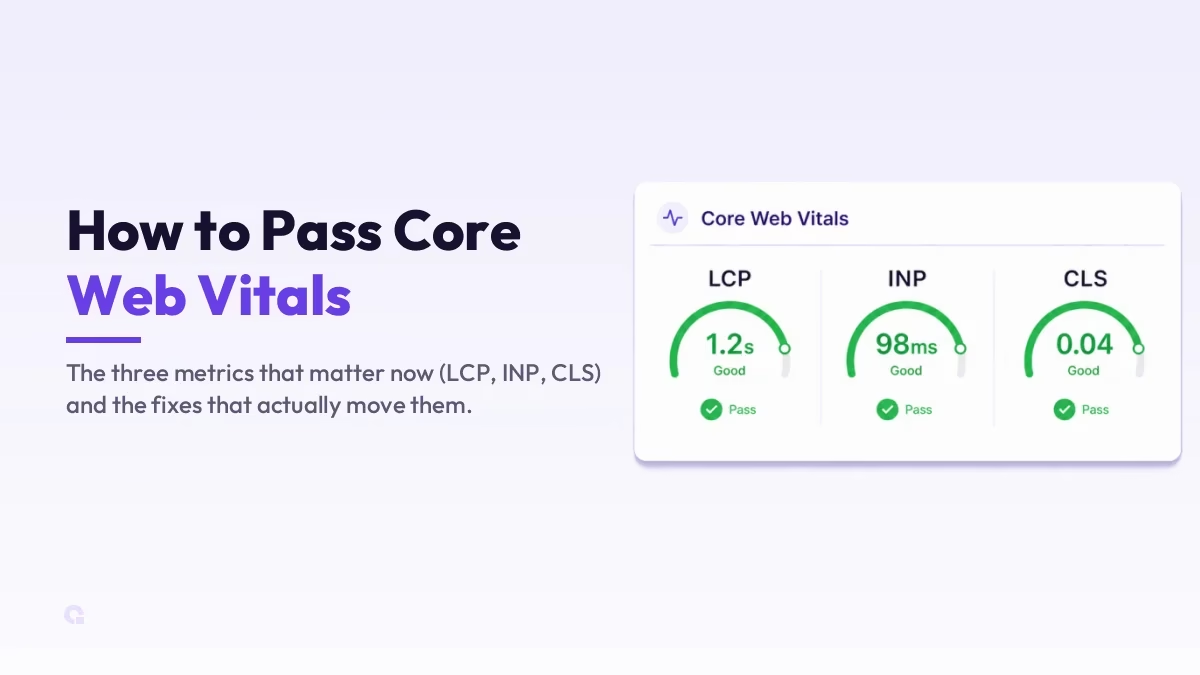
Core Web Vitals are the three user-experience metrics Google uses as a ranking signal, and failing them quietly drags on your rankings and your conversions at the same time. The good news is that passing them is a fairly mechanical job once you know which metric is failing and why.
One thing to clear up first, because a lot of older guides still get it wrong: the old FID metric was retired in March 2024 and replaced by INP. So today you are chasing LCP, INP, and CLS, and below is how to read each one and fix it.
Key Takeaways
- The three Core Web Vitals are LCP, INP, and CLS; INP replaced FID in 2024.
- Good scores: LCP under 2.5s, INP under 200ms, CLS under 0.1 at the 75th percentile.
- Fix the metric Google actually flags, using field data, not a one-off lab score.
- LCP is mostly server speed and images; INP is mostly JavaScript; CLS is mostly missing dimensions.
- Field data updates on a 28-day rolling window, so give your fixes a few weeks to show.
What Core Web Vitals actually measure
Each vital covers a different part of the experience: one for loading, one for responsiveness, and one for visual stability. You pass only when all three are in the green for most of your real visitors, so it helps to know exactly what each one is watching and the threshold it needs to clear.
| Metric | What it measures | Good score |
|---|---|---|
| LCP (Largest Contentful Paint) | How fast the main content of the page loads and appears | 2.5 seconds or less |
| INP (Interaction to Next Paint) | How quickly the page responds when someone taps or clicks | 200 ms or less |
| CLS (Cumulative Layout Shift) | How much the layout jumps around as the page loads | 0.1 or less |
First, find what is actually failing
Before changing anything, see which metric Google is unhappy about, because fixing the wrong one wastes hours. Run your URL through PageSpeed Insights and read the field data (the \”real user\” section at the top), not just the lab score underneath. Google judges you on field data, which comes from real Chrome users, so a perfect lab score with failing field data still fails.
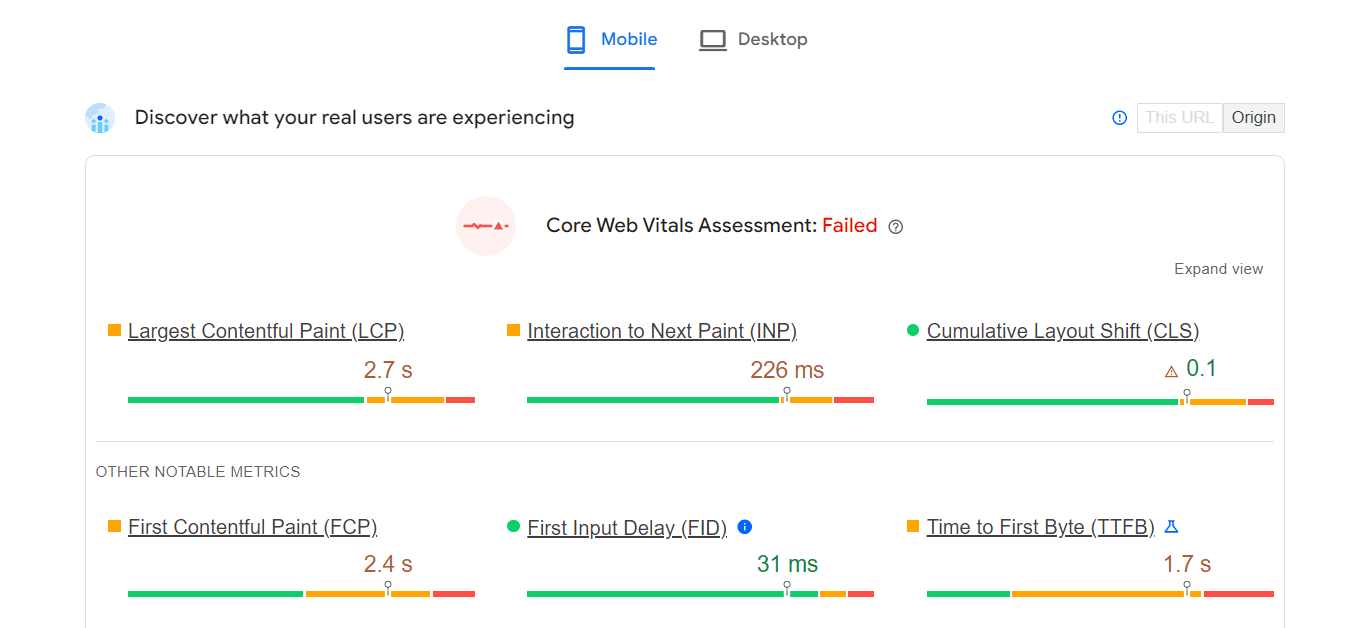
The Core Web Vitals report in Search Console is the other place to look, because it groups your failing URLs so you can see whether it is one template or the whole site. Once you know it is LCP, INP, or CLS, you can go straight to the right fix below instead of guessing.
Fixing LCP (loading)
LCP is usually about how quickly your biggest above-the-fold element, often a hero image or heading, shows up. The first lever is server response time: if your host is slow to deliver the first byte, everything after it is late. A faster host or a good performance-focused hosting plan plus a CDN is often the single biggest LCP win, which is why I usually start there; my rundown of fast WordPress hosts goes deeper on that choice.
After the server, the usual culprit is a heavy hero image. Compress and resize it, serve it as WebP or AVIF, and preload that one LCP image so the browser fetches it early. Then clear the render-blocking CSS and JavaScript in the head by deferring non-critical scripts and inlining the small bit of critical CSS, so the page can paint without waiting on the whole stylesheet.
Fixing INP (responsiveness)
INP is the metric most sites now struggle with, and it is almost always a JavaScript problem. It measures the delay between a user tapping something and the page actually responding, so anything that ties up the main thread hurts it. The fix is to do less work on that thread: break long tasks into smaller chunks, defer or remove scripts you do not need on load, and let heavy work yield so the browser can answer the click first.
Third-party scripts are the quiet offender here, things like chat widgets, heatmaps, and ad and analytics tags. Each one runs code you did not write, so audit them honestly and drop or lazy-load the ones that are not earning their place. On WordPress, leaning on too many plugins that each inject their own scripts is the most common way a site fails INP without anyone noticing.
Fixing CLS (visual stability)
CLS is the easiest of the three to fix and the most annoying to users, that jump where you go to tap one thing and the page shoves something else under your finger. It almost always comes from elements that load without reserved space. Set explicit width and height on every image and video so the browser holds their spot, and reserve space for anything injected late, like ads, embeds, or cookie banners.
Web fonts cause the other common shift, when text reflows as a custom font swaps in. Using font-display: swap with a sensibly matched fallback font keeps that movement small. Get those two habits right and CLS usually drops into the green on its own.
So where should you start?
If this were my site, I would not try to fix all three at once. I would open the field data, find the single metric in the red, and fix that one first, because chasing a lab score on a metric Google is not even flagging is wasted effort. For most WordPress sites the order that pays off fastest is LCP (host and images), then INP (trim the JavaScript and third-party scripts), then CLS (set dimensions).
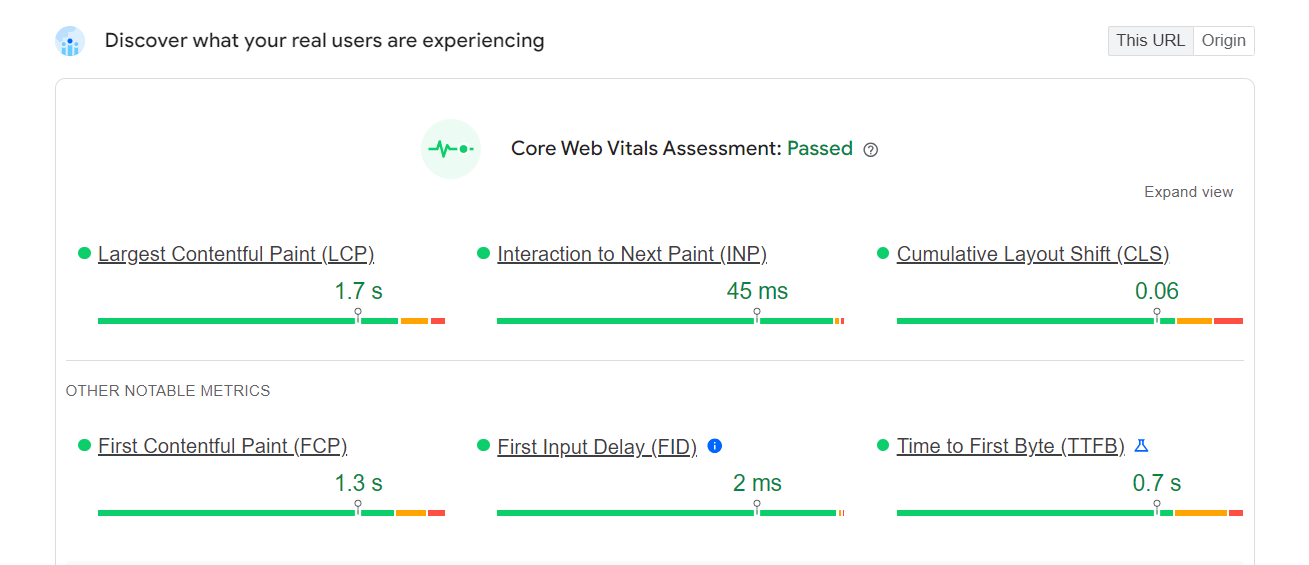
The last thing to get right is patience. Field data moves on a 28-day rolling window, so even a perfect fix will not flip the report to green overnight; give it a few weeks before you decide it did not work. Do the diagnosis honestly, fix the real bottleneck, and passing your Core Web Vitals stops feeling like guesswork.
Update Logs
28 Jun 2026
- Updated for the metric change from FID to INP, added the current pass thresholds and a metrics table, and reworked the fixes around field data and the 28-day window.
Want our posts to show up more often on Google?
One step & Google will surface this site in your Top Stories.